
Sending Feedback
You can report a problem or suggest an improvement to the Freedam team from any page, without leaving what you are doing. Reports go to Freedam, the company that makes the software, not to your workspace administrators.
For questions about your organisation's content, access or setup, contact your administrator instead.
Send a report
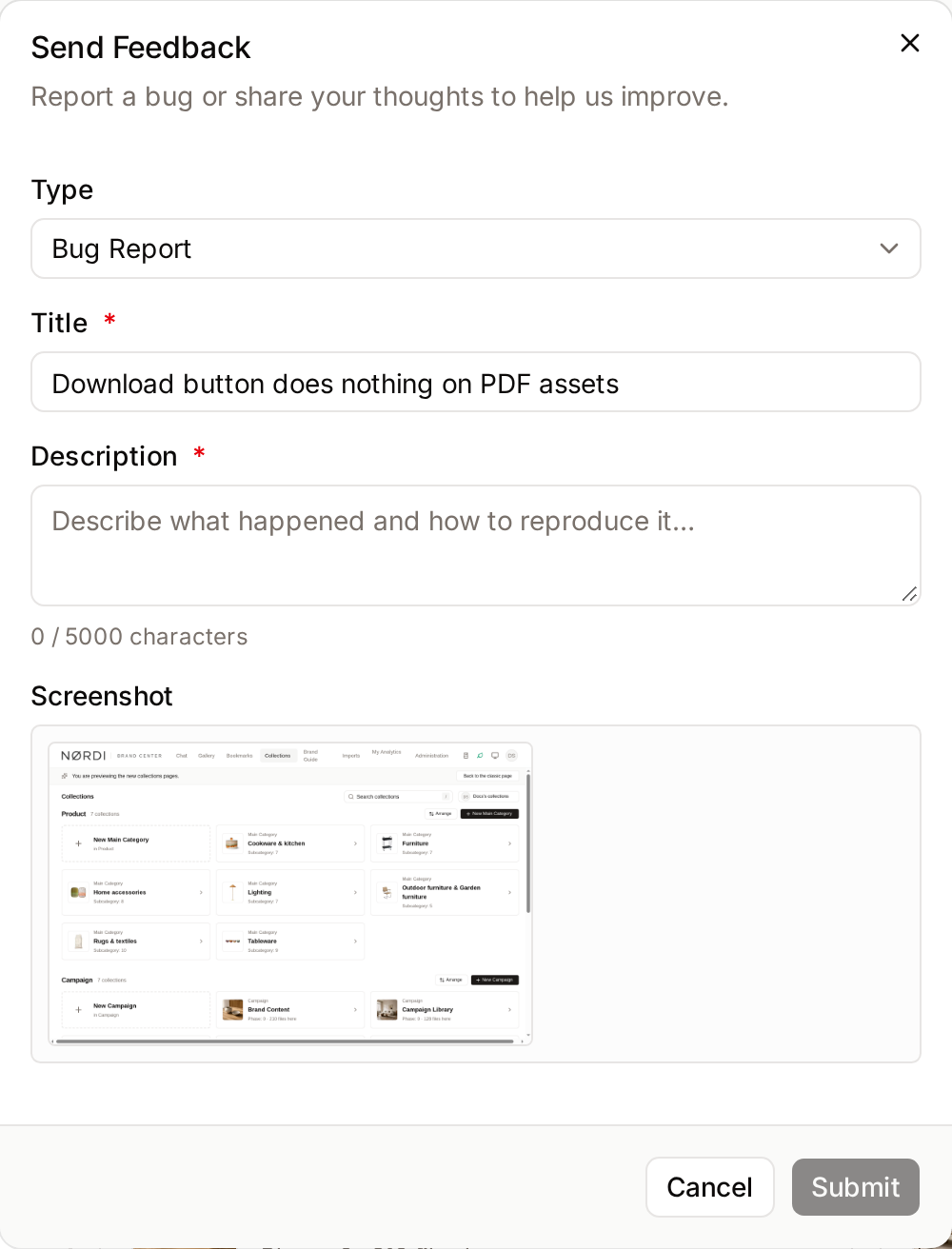
- Click the round feedback button in the bottom-right corner of the page. Its label is "Send feedback". The Send Feedback dialog opens.
- Choose the Type: Bug Report or Feedback.
- Enter a Title of up to 255 characters, for example "Download button does nothing on PDF assets".
- Describe what happened in Description, up to 5,000 characters. A counter under the field shows how many you have used. For a bug, say what you did, what you expected, and what happened instead.
- Click Submit.
Freedam shows "Feedback submitted. Thank you!". You can send up to 5 reports an hour. Past that limit, Freedam shows "Too many requests. Please wait before submitting again."
On a shared link page, the same form opens from Report an issue at the bottom of the page.
What is sent with your report
To help the team reproduce the problem, the report automatically includes:
- A screenshot of the visible part of the page, taken when you open the form. It shows in the form under Screenshot, and can't be removed. If the capture fails, the form shows "Screenshot unavailable" and the report is sent without one.
- The address of the page, your browser and screen size.
- Your name and email address, and your role, so the team can follow up. On a shared link page, the report is anonymous.
- Your workspace's name.
- Recent technical messages from the page and the server, which help diagnose errors.
Check what is on screen before you open the form. If the page shows confidential assets or personal data, go to a neutral page, such as your settings, before sending the report, and describe the problem in words.
Related pages
- First Steps: finding your way around Freedam.
- Receiving a Share: reporting a problem from a shared link.